Before you start
- Two to six PNG, JPG or WebP exports of the designs being compared.
- One decision question, one audience and a person responsible for the final choice.
The workflow
- 01
Define the decision before choosing images
Ask “Which cover makes the workshop topic clearest to a first-time visitor?” rather than “Which is best?” For a landing page, decide whether you are comparing overall direction, headline hierarchy or the hero image. A single poll cannot cleanly answer several unrelated design questions.
- 02
Make the options comparable
Use the same size, crop and amount of context for each image. Label them A, B and C with neutral descriptions. Keep the offer and approved copy consistent unless those are the variables you want to compare. Avoid giving one option a polished mockup while showing another as a rough export.
- 03
Create the voting link
Open Which design?, upload the images, add your question and label each option. Check the fixed gallery before sending the link. Explain who should vote and when you will make the decision. Each browser profile has one changeable choice; votes are lightweight feedback rather than verified unique-person responses.
- 04
Read the reasons as well as the count
Invite a short explanation grounded in the brief. A close result may mean the question is unclear or the options serve different audiences. Reasons are visible to the owner, not to all voters. Totals appear to a voter after voting, so the design is not an unrestricted public discussion board.
- 05
Close and record the choice
Close the vote when the review window ends and write the decision with its rationale. If the decision maker chooses a less popular option, explain the constraint behind that choice. Collect detailed revisions on the selected concept in a separate review. New images or a different question need a new poll.
WORKED EXAMPLE
Choose a workshop poster cover
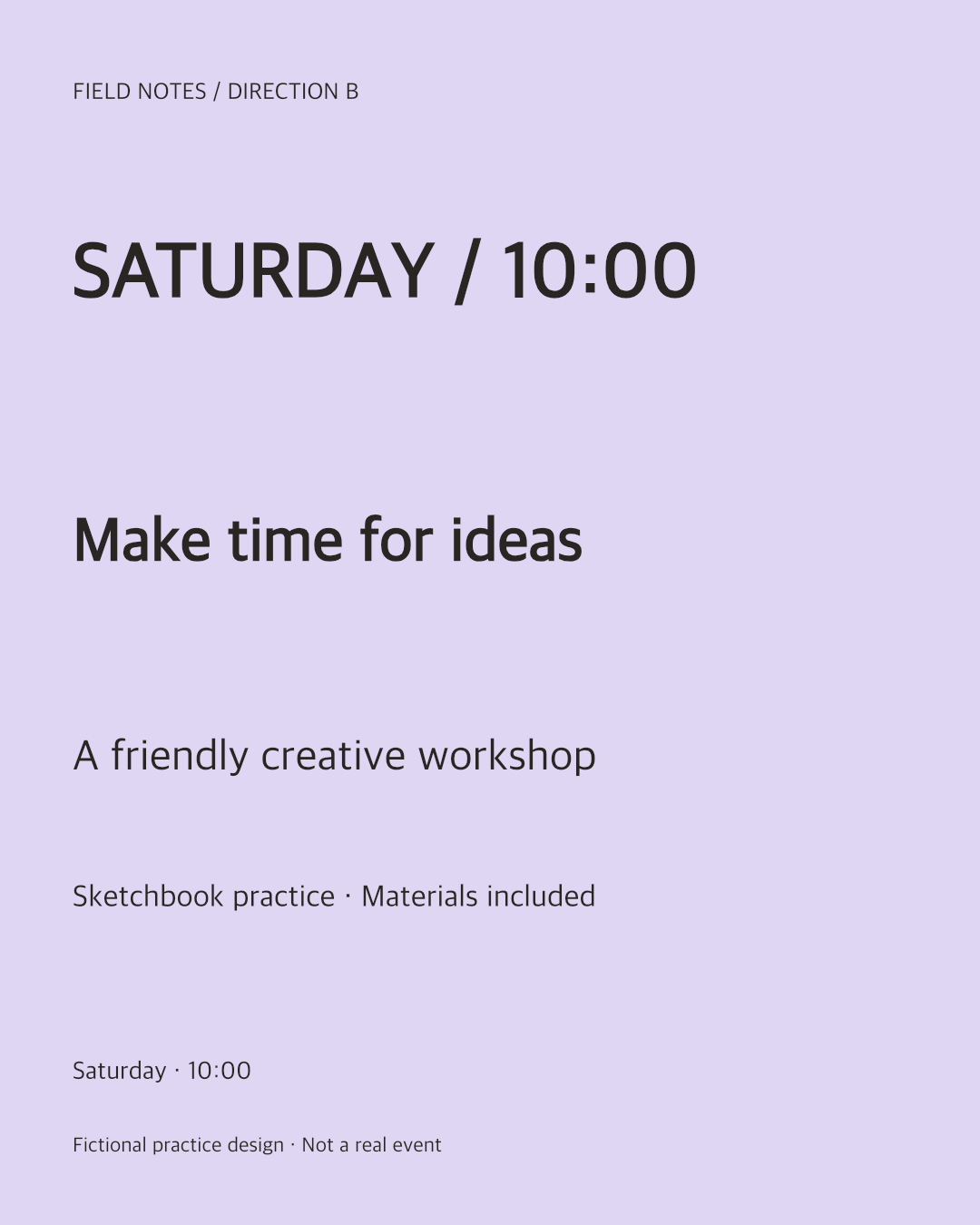
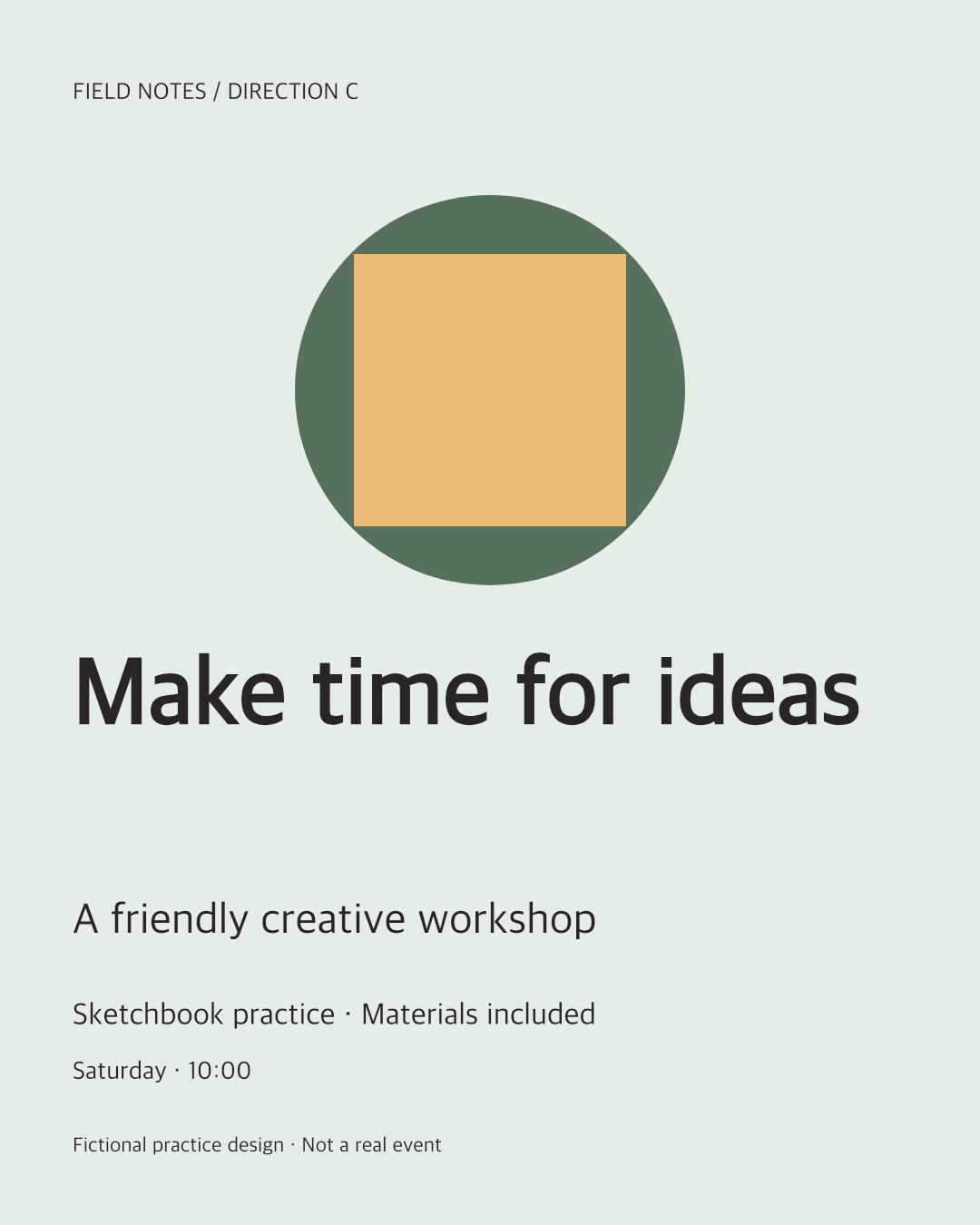
Use the three downloadable fictional poster options. A uses a large title, B emphasizes the date, and C emphasizes an abstract illustration.
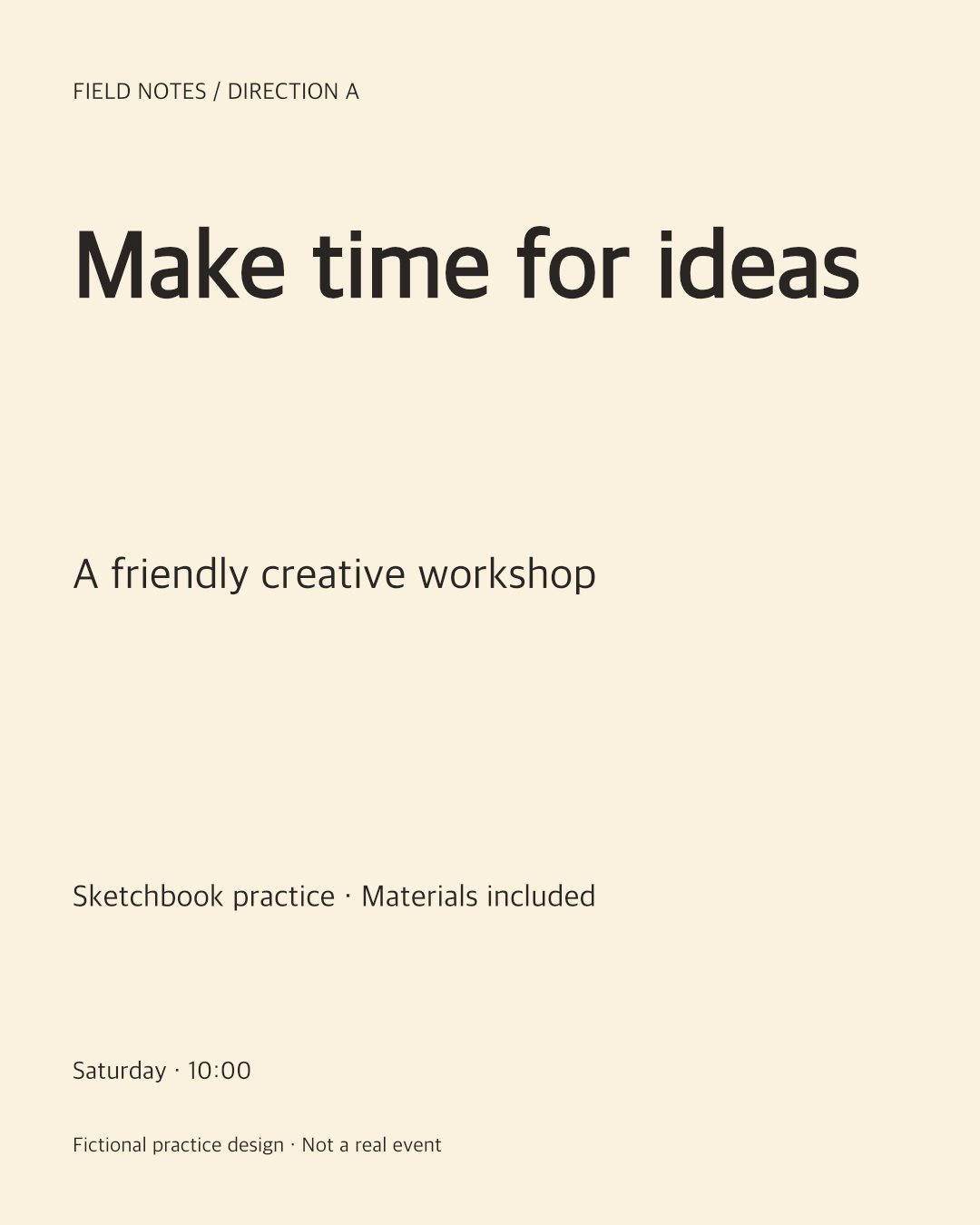
Starting point
“Vote for your favourite” invites personal taste without considering the workshop audience.
A clearer result
“Which poster makes the creative workshop easiest to understand at a glance? Choose one and explain the first thing you noticed.” No voting results are fabricated in this example.
Check the result
- All options use the same factual details and dimensions.
- The question states the audience and decision.
- The final choice records reasoning, not only a count.
Original practice files
Fictional examples made for these guides. Download them to try the workflow with your own tools.
A prompt you can use
Replace the bracketed fields with your project details. Check what the AI can access before requesting changes.
Help me write one neutral comparison question for [options] aimed at [audience]. The decision is [decision], and the fixed constraints are [constraints]. Suggest neutral option labels and one request for a reason. Do not describe preference votes as conversion data or claim statistical significance.Download the brief, prompt and checklist ↓
Questions & answers
How do I choose between logo, ad or thumbnail concepts with a team?
Show comparable exports, ask one audience-specific question and collect a vote with an optional reason. Use the decision to select a direction, then review the winning concept in more detail.
How do I compare two landing-page directions?
Compare the same page area with the same content and audience brief. For interactive behavior, also share the prototypes; static voting images cannot demonstrate the whole page experience.
How do I choose a carousel cover or YouTube thumbnail with my team?
Compare covers at the size and context in which people will encounter them. Ask about clarity or expectation, not only personal taste. A team preference does not predict public click-through rate.
Can voters change their minds, and are their reasons public?
A browser profile can change its choice while voting is open. Only the owner sees individual reasons. Clearing browser data or using another browser can create another profile, so this is not verified-person voting.
Keep in mind
- The options and question are fixed when the poll is created. A revised comparison needs a new poll.
- This tool is not an A/B experiment or a verified identity voting system.
Put it into practice.
Start with the example or bring a small project of your own.
Create a design vote ↗