Before you start
- A short product idea or a screenshot you are permitted to use.
- A connected AI capable of producing a supported HTML or React artifact.
Connect your AI to the work
Open Stash and choose Connect your AI tools. Authorize your client, then check that it can read the intended work before asking it to edit. The connection uses MCP, a way for AI tools to read and update work in another service.
For a new publication, explicitly ask for private access. New MCP artifacts otherwise allow public editing. Your selected space is the default publishing destination, not a limit on everything the connection can access.
See the connection and handoff workflow. Client availability and workspace permissions can vary.
The workflow
- 01
Choose one user task
For the workshop example, the task is finding a date and understanding the next booking step. Define the start state, user action and visible result. Exclude payments, real account creation and other production integrations from the first mockup unless you have a separate implementation plan.
- 02
Describe the hidden behavior
A screenshot shows a single state, not hover behavior, navigation, validation or the data model. Explain what each important control should do and which states matter. If reconstructing a reference, separate visual inspiration from exact copying and use only assets you have permission to use.
- 03
Request a small supported output
Ask for one HTML file with embedded CSS and modest client-side JavaScript for a first example. Keep data fictional and label simulated actions. If your project needs unsupported dependencies or a backend, reduce it to a clear reviewable slice. Do not ask the model to hide missing behavior behind a button that appears to work.
- 04
Publish privately and test the path
Ask the connected AI to publish with private access, then open the artifact and perform the task. Check initial state, action, result and recovery from an invalid choice. Use a narrow viewport and keyboard navigation as basic checks. Review the rendered output rather than relying solely on the model’s completion message.
- 05
Ask for a decision before expanding
Share the exact version with a review task. Ask whether the flow solves the intended problem and what is still unclear. Record the accepted behavior and unresolved questions for a developer. A useful prototype reduces uncertainty; it does not by itself supply production security, persistence or backend infrastructure.
WORKED EXAMPLE
An idea becomes a bounded booking demo
The downloadable workshop page is an original, self-contained example with two dates and a simulated booking action.
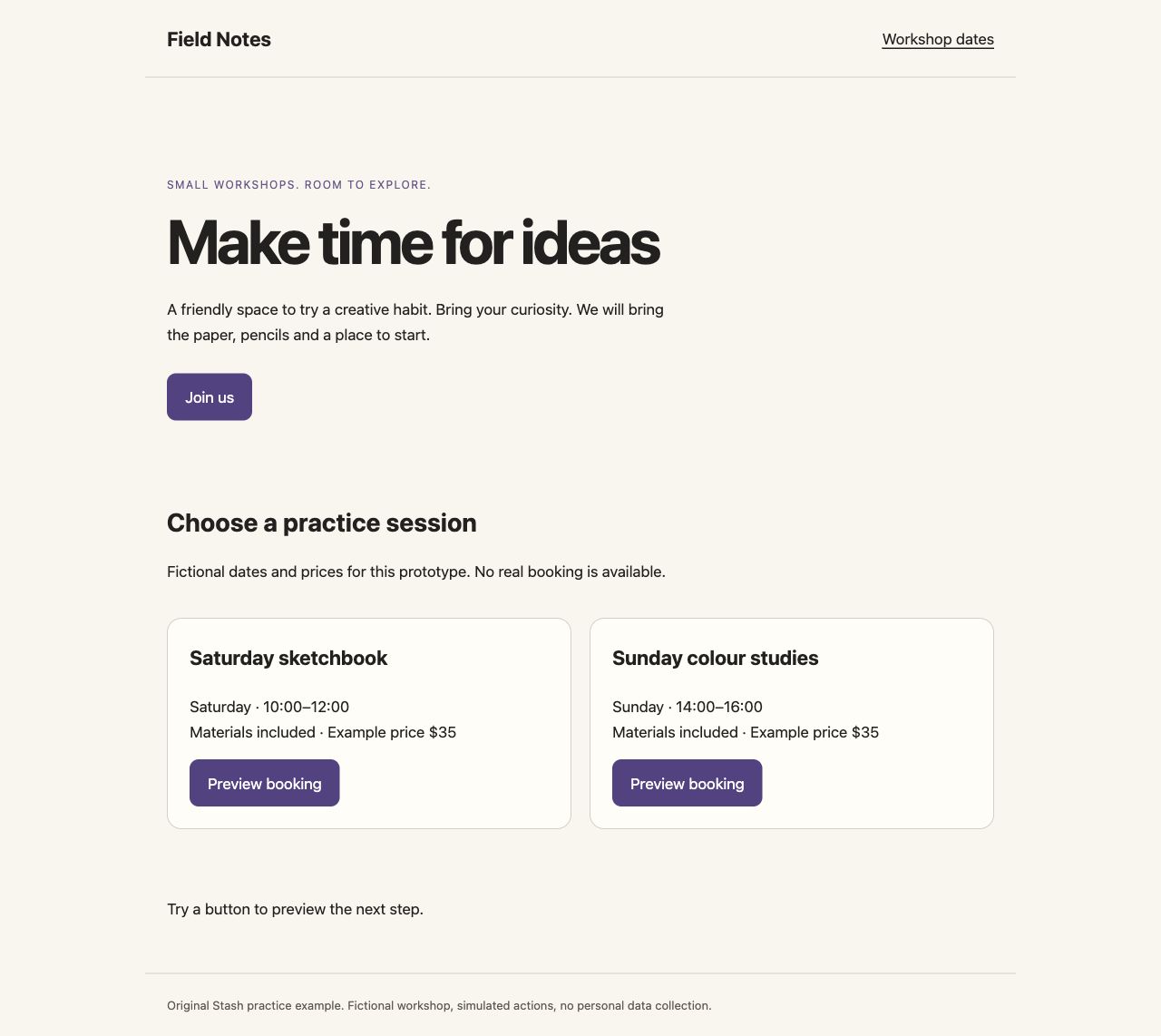
Starting point
“Build a workshop marketplace” combines discovery, payment, accounts and operations into one untestable request.
A clearer result
“Show two workshop dates and let a visitor preview a booking message. Use fictional data and label the action as a demo.”
Check the result
- One user task can be completed from start to finish.
- Simulated actions are explicitly labelled.
- No real credentials, customer data or transactions are required.
Original practice files
Fictional examples made for these guides. Download them to try the workflow with your own tools.
A prompt you can use
Replace the bracketed fields with your project details. Check what the AI can access before requesting changes.
Create one self-contained HTML prototype for [user task]. Audience: [audience]. Starting state: [state]. Main action: [action]. Expected result: [result]. Use fictional data and clearly label simulated behavior. Include readable narrow-screen layout and keyboard-operable controls. Do not add payments, secrets or backend dependencies. Publish through Stash with access: private and return the version link plus known limitations.Download the brief, prompt and checklist ↓
Questions & answers
How do I turn a product idea into a clickable mockup?
Reduce the idea to one user task, specify the visible states and ask AI for a supported prototype with fictional data. Check the interaction yourself before sharing the version for feedback.
How do I turn a screenshot into an AI website prototype?
Provide the screenshot plus explicit instructions for behavior, layout priorities and assets. Ask for a new implementation, then compare it with the intended result. A screenshot does not reveal the original source or application logic.
Can I host any AI-generated application in Stash?
No. Use supported artifact formats and dependencies. A backend service or arbitrary application build may require a separate hosting environment.
Is a working mockup ready to launch?
No. A successful review is evidence about the proposed experience. Production implementation still needs appropriate engineering, accessibility, security, data handling and operational checks.
Keep in mind
- A visual reconstruction is a new implementation, not recovery of the original code.
- Do not present fictional data or simulated actions as real product activity.
Put it into practice.
Start with the example or bring a small project of your own.
Open Stash to create a prototype ↗